
What the product does
Send documents for signature, route them through approval first, and keep a sealed, tamper-evident copy of everything.
Your workspace sends documents to people who sign them in their browser, with no account to create. Before a document goes out it can pass through your own approval steps, and when everyone has signed, the file is sealed and a certificate of completion is written beside it.
In one picture
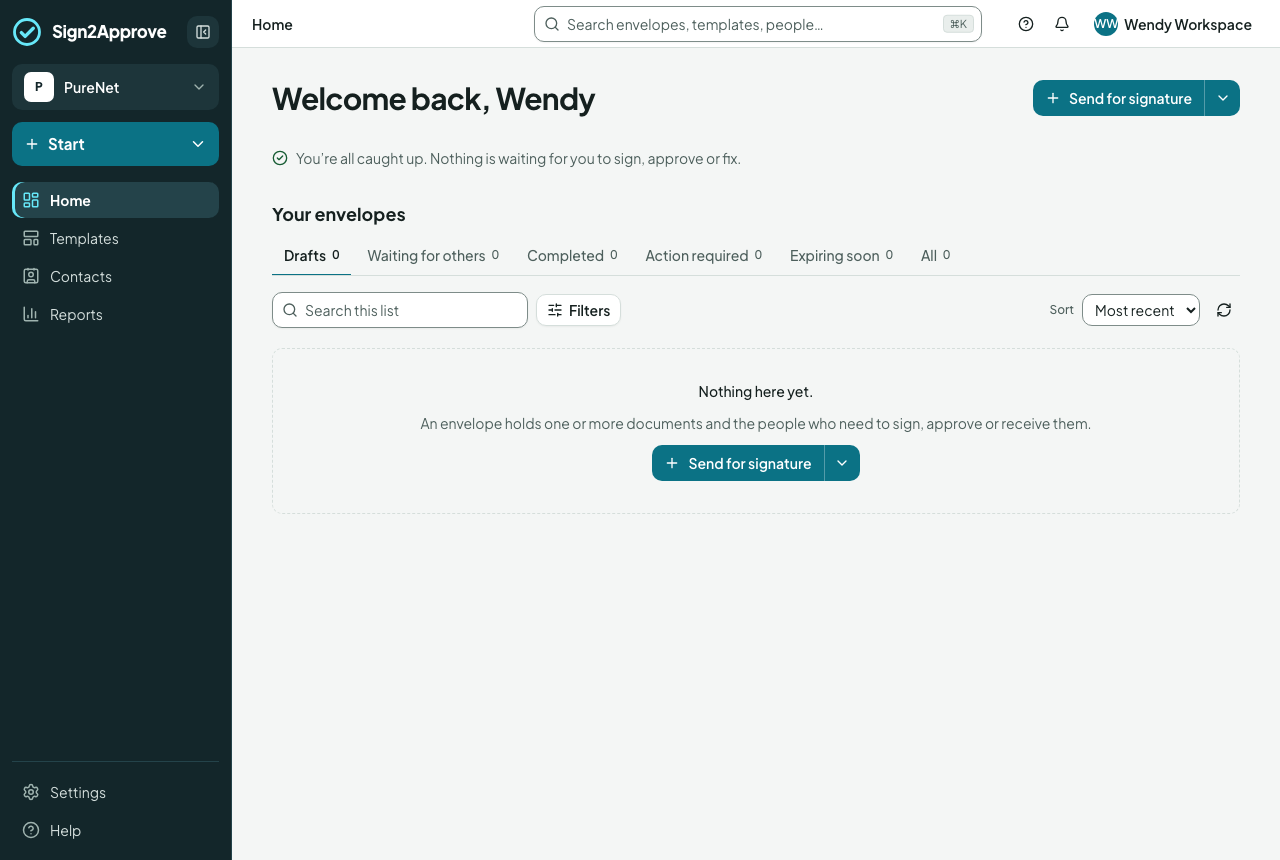
- The menu runs across the top: the logo takes you to your Inbox, where you land; then Documents, Time off and Expenses; a round + to send for signature, book time off or add an expense from anywhere (each when you hold that product's seat); then Help, the Inbox and your initials. People, Contacts, Reports and Settings are under your initials.
- On a phone, the bar keeps the page's name, the + and your initials, and the products sit just below it, the Inbox first with its count. Your initials also hold AI Assist and Help.
- Inbox shows what needs your action now under For me, each marked with what you're asked to do (To sign, To approve, To fix, To decide); a step comes in only once it is your turn, what is waiting on the people who report to you under Team, and what has happened under Activity.
- Documents holds all your envelopes as tiles under tabs: Drafts (where you left off), Waiting for others, Completed, Action required, Expiring soon and All. Search, filters and sort apply to the tab you are on, and the address can be bookmarked. Without the Documents seat you don't send, so Documents shows only what's sent to you: To sign or approve and Completed, and says whom to ask for the seat.
- Templates are the Word, PowerPoint or PDF files with fields on them, in the Gallery and your own. Saved routes (who approves, who signs, in what order) are being folded into templates; the separate Workflows area is no longer in the menu.
- Settings hold the workspace: members, groups, fields and document roles, branding, sealing.
What recipients get
An email with a link. They read, fill in their fields, adopt a signature and finish. When the last person has signed, everyone receives the sealed PDF and its certificate. Recipients have their own guides.
The words we use
| Word | Meaning |
|---|---|
| Envelope | One document, or a set, sent to particular people |
| Workflow | A saved way of sending: steps, approvers, signers, settings |
| Template | A document with its fields, its questions and its route (who approves, signs, views or gets a copy), used to send |
| Step | A stage in the chain: the people in one step act at the same time |
| Reference | The number or code your workspace uses to find an envelope |